
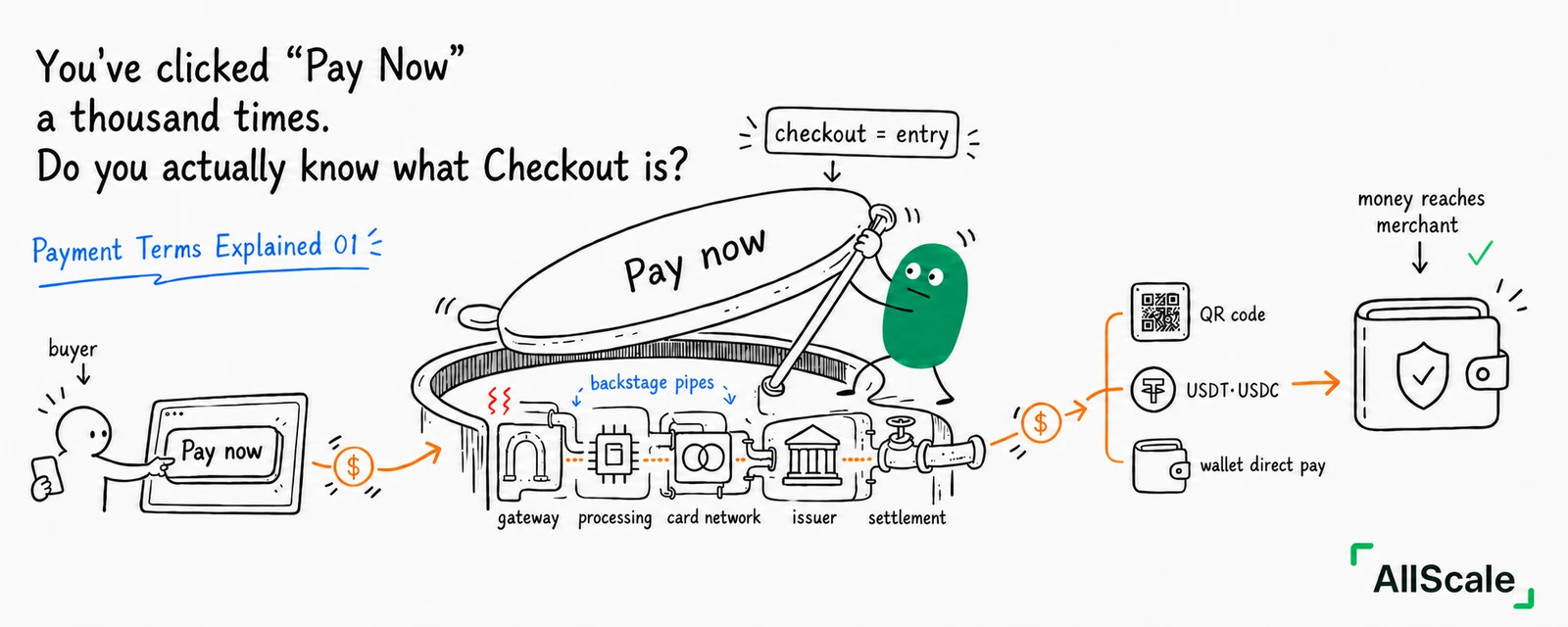
You open a shopping site, drop something in the cart, and land on a page asking for your card number, payment method, and finally a "Pay Now" button. That's Checkout.
You've probably used one a thousand times, but almost no one stops to ask: what is this thing, really? Is it the same as "payment"? And why do some sites let you sail through in ten seconds while others leave you stuck at the last step, unable to pay?
This is the first post in the series. We're starting with the piece you already know, so the rest of the payment world has something solid to build on.
1. What Checkout actually is
Checkout is the interface — or the moment — where a merchant lets a buyer complete a payment.
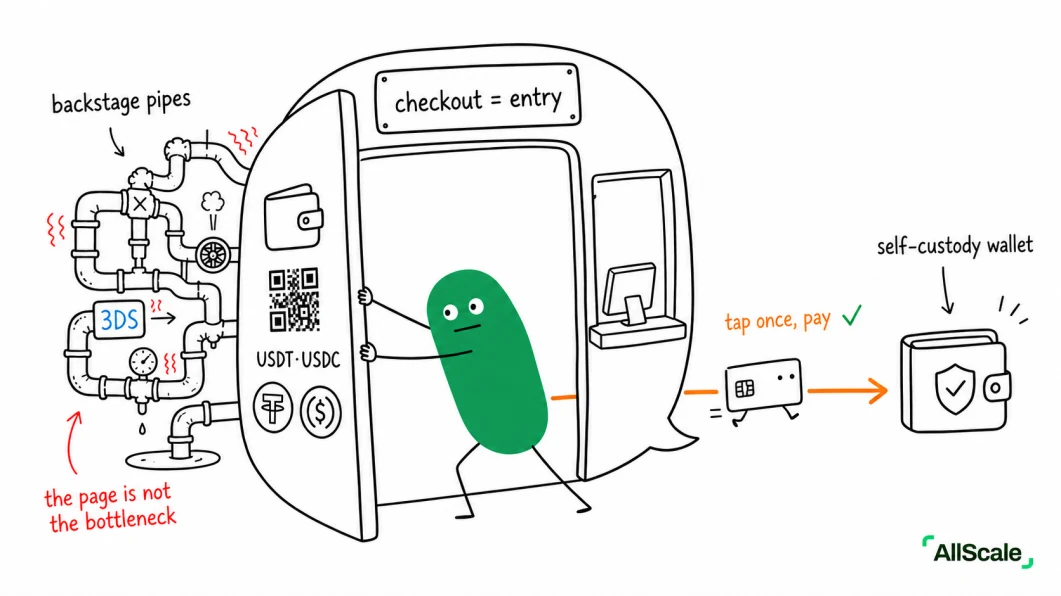
It is not the same thing as the payment itself. The payment is the money actually moving, which we'll get to later. Checkout is just the doorway — like the register at the front of a supermarket. You pay at the register, but the mechanics of how money leaves your card and lands in the store's account happen behind the scenes.
Hold onto this distinction. It comes up again:
- Checkout = the front counter (what you see)
- Gateway, processor, and friends = the kitchen (the plumbing you don't see, unpacked in Posts 4 and 5)
2. Three shapes Checkout tends to take
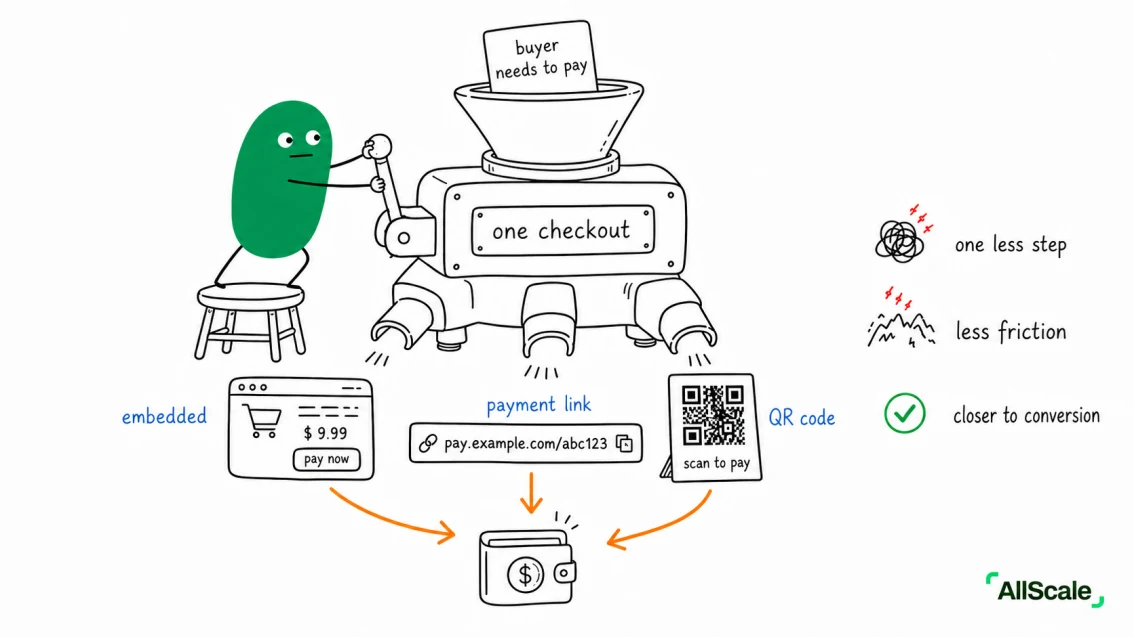
Not every business has a full shopping site. In practice, Checkout usually shows up in one of three forms:
- Embedded checkout: built directly into the site or app. The buyer never leaves.
This is what big platforms default to.
- Payment link: the checkout compressed into a single URL you can send someone. Great for freelancers with no website, people selling courses in group chats, or a one-off invoice. Drop the link in WhatsApp, they click, they pay.
- QR code: same idea, printed on a table tent or thrown up on a screen. Market stalls, storefronts, event booths. Scan, pay, done.
All three are the same idea underneath: strip as much friction as possible out of the "actually pay" step. Less friction, higher conversion. That is the entire reason Checkout exists.
3. Why traditional Checkout keeps getting stuck
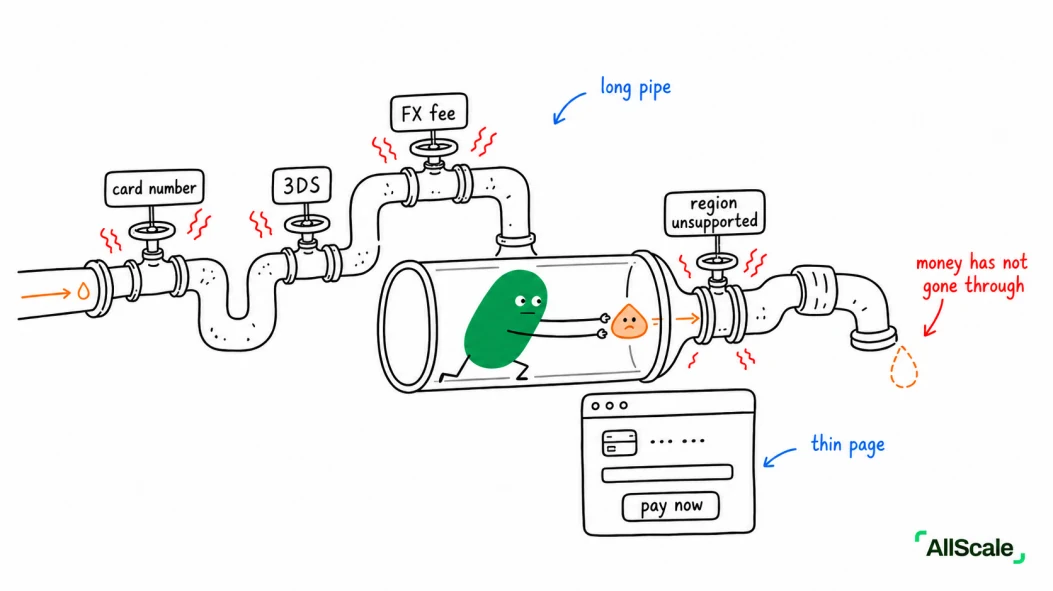
You've probably hit some version of this:
- You type in the card number, expiration, CVV — then get bounced into an SMS verification step (that's 3DS; we'll cover it later)
- You buy something from a foreign site and a mystery "currency conversion fee"
appears at the end
- You want to buy, but the site doesn't accept cards from your region, so you just… can't The root cause isn't the checkout page. It's the old, layered clearing system sitting behind card payments. Every time you tap "Pay," the request has to hop through the issuer, the card scheme, and the acquirer. We will pull that apart post by post.
For now, remember this: the checkout page looks simple. Whatever's tripping you up is happening in the pipes behind it.
4. A different Checkout — using AllScale
If a buyer pays with a stablecoin (USDT, USDC), the checkout step gets a lot shorter.
Here's how it plays out on AllScale Checkout:
For the buyer:
- Pick "pay with stablecoin"
- Connect a wallet or scan a QR
- Confirm on-chain
- Done — usually settled in a few seconds For the merchant:
- No card networks, no acquiring banks to integrate with
- Self-custody: the money lands directly in a wallet the merchant controls. No platform-owned holding account in between.
(Why self-custody matters is a Post 12 question. Skipping ahead here.)
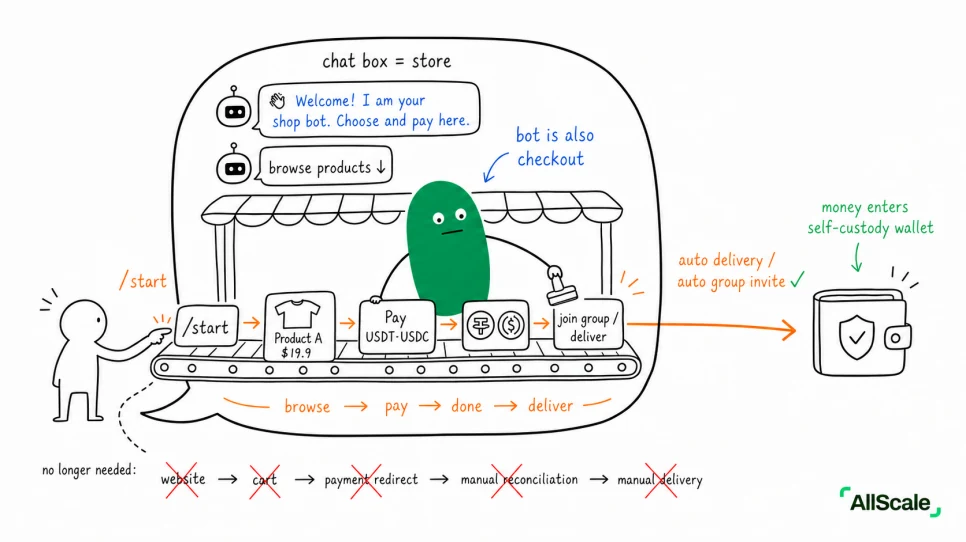
Putting Checkout inside a chat: AllScale TG Store Go back to the point from earlier — Checkout's job is just to reduce friction. Follow that logic and the "container" for it keeps getting lighter:
Full shopping site → payment link → QR code → skip the page entirely and put Checkout inside a chat app AllScale's TG Store (allscale.store) is that last step: your Telegram bot is the storefront and the checkout, all at once. The buyer runs /start in the chat, browses, pays — without ever leaving Telegram, and without installing anything.
They pay in USDT or USDC and the money lands in the merchant's self-custody wallet.
It fits people already doing business inside Telegram — sellers of digital goods, courses, paid memberships, signal groups. In the old world, those sellers were either giving up 8–12% to Stripe, Gumroad, or Patreon, or stuck in manual workflows where the buyer DMs a tx hash and someone adds them to the group by hand. TG Store collapses "get paid + auto-deliver / add to group" into a single tap inside a chat window.
Put differently: Checkout doesn't have to be a "page." When all your customers live in a chat app, the best checkout is the chat app itself.
Wrap-up
Checkout is the door between you and paying. The easier the door opens, the easier the business runs.
This post covered only the front counter. Next up: Invoicing — what changes when you are not selling stock off a shelf but sending a customer a bill and waiting for them to pay it. Some new characters walk on stage there.